> ## Documentation Index
> Fetch the complete documentation index at: https://docs.convertly.sh/llms.txt
> Use this file to discover all available pages before exploring further.
# Video transforms
> Extract poster frames, trim clips, transcode to MP4/WebM, generate animated GIFs, and build spritesheets for scrub previews.
Stored **video** files in Convertly Storage, or video fetched from a configured **HTTPS or private-bucket origin**, use the same CDN URL pattern as images. Pass poster or image-format params to extract a frame, video output formats to trim and transcode, or spritesheet/VTT formats for timeline hover previews.
Use **Image CDN → Transform Lab** in the dashboard to preview posters, clips, and GIF output against stored files or library paths before you ship URLs to production.


 ## Poster frames
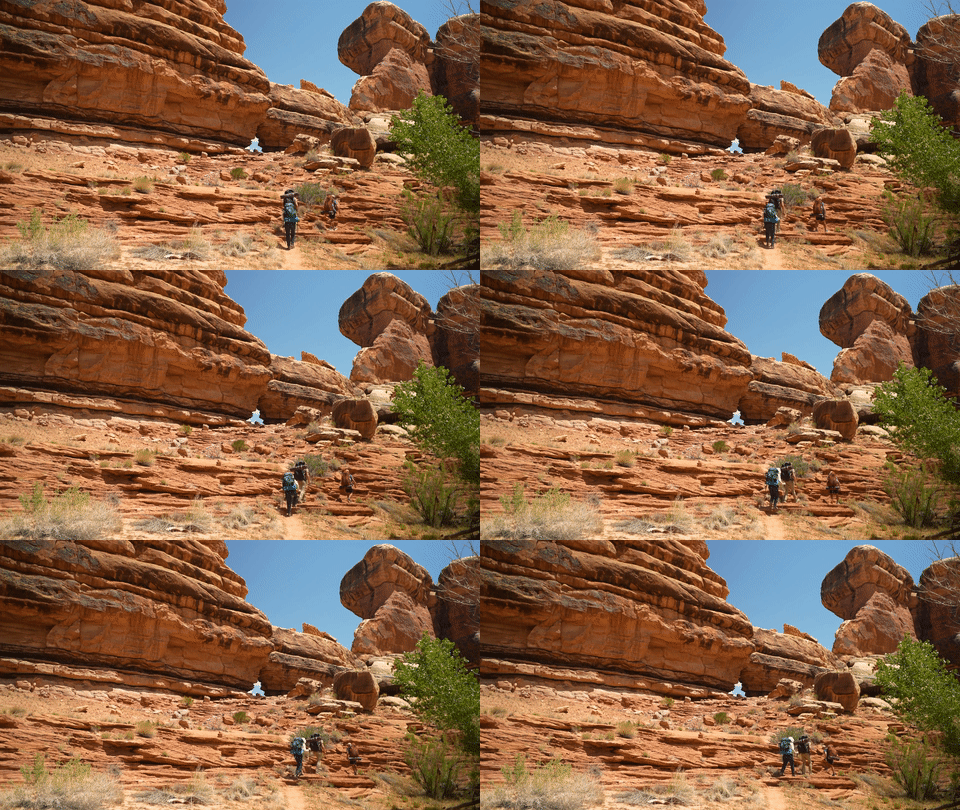
Extract a raster frame, then run the normal image pipeline (resize, format negotiation, smart crop):
```
https://cdn.convertly.sh/{endpointNamespace}/{videoFileId}?t=3.5&w=800&format=webp
https://cdn.convertly.sh/{endpointNamespace}/{videoFileId}?poster=1&w=1200&format=auto
```
| Param | Purpose |
| -------------------------------- | ---------------------------------------------- |
| `t` or `time` | Timestamp in seconds for the frame to extract. |
| `poster=1` | Explicit poster mode (useful with presets). |
| `w`, `h`, `format`, `gravity`, … | Same image params as raster sources. |
Without poster, spritesheet, VTT, GIF, or video-format params, bare video URLs redirect to a signed download (`302`).
## Animated GIF
Transcode a clip segment to an animated GIF on the CDN edge:
```
https://cdn.convertly.sh/{endpointNamespace}/{videoFileId}?format=gif&so=1&du=3&w=480&fps=12
```
| Param | Purpose |
| ----------------------- | ----------------------------------------------------- |
| `format=gif` or `gif=1` | GIF output mode. |
| `so` / `start` / `ss` | Clip start time in seconds. |
| `du` / `duration` | Clip length in seconds (max 300). |
| `w` | Output width in pixels (height follows aspect ratio). |
| `fps` | Frame rate (`4`–`24`, default `12`). |
## Spritesheets and trick play (VTT)
Generate a contact-sheet grid of sampled frames for scrub-bar hover previews:
```
https://cdn.convertly.sh/{endpointNamespace}/{videoFileId}?format=spritesheet&w=160&cols=6&interval=2
https://cdn.convertly.sh/{endpointNamespace}/{videoFileId}?format=vtt&w=160&cols=6&interval=2
```
| Param | Aliases | Purpose |
| -------------------- | ---------------------------------------------------- | ------------------------------------------------------------------------- |
| `format=spritesheet` | `format=sprite`, `spritesheet=1` | Single grid image of sampled frames. |
| `format=vtt` | `vtt=1` | WebVTT file mapping timestamps → `#xywh=` regions on the spritesheet URL. |
| `w` | `spriteW`, `video-spritesheet-w` | Thumbnail tile width in pixels (default `160`). |
| `h` | `spriteH`, `video-spritesheet-h` | Optional fixed tile height. |
| `cols` | `columns`, `spriteCols`, `video-spritesheet-columns` | Grid columns (`auto` ≈ square grid). |
| `interval` | `spriteInterval`, `video-spritesheet-interval` | Seconds between sampled frames (default `2`). |
| `frames` | `spriteFrames` | Max frames in the grid (default `36`, max `120`). |
| `spriteFormat` | `video-spritesheet-format` | Spritesheet image format: `jpg`, `webp`, `png`. |
| `so`, `du`, `eo` | | Optional clip window (same as clip delivery). |
Point a `
## Poster frames
Extract a raster frame, then run the normal image pipeline (resize, format negotiation, smart crop):
```
https://cdn.convertly.sh/{endpointNamespace}/{videoFileId}?t=3.5&w=800&format=webp
https://cdn.convertly.sh/{endpointNamespace}/{videoFileId}?poster=1&w=1200&format=auto
```
| Param | Purpose |
| -------------------------------- | ---------------------------------------------- |
| `t` or `time` | Timestamp in seconds for the frame to extract. |
| `poster=1` | Explicit poster mode (useful with presets). |
| `w`, `h`, `format`, `gravity`, … | Same image params as raster sources. |
Without poster, spritesheet, VTT, GIF, or video-format params, bare video URLs redirect to a signed download (`302`).
## Animated GIF
Transcode a clip segment to an animated GIF on the CDN edge:
```
https://cdn.convertly.sh/{endpointNamespace}/{videoFileId}?format=gif&so=1&du=3&w=480&fps=12
```
| Param | Purpose |
| ----------------------- | ----------------------------------------------------- |
| `format=gif` or `gif=1` | GIF output mode. |
| `so` / `start` / `ss` | Clip start time in seconds. |
| `du` / `duration` | Clip length in seconds (max 300). |
| `w` | Output width in pixels (height follows aspect ratio). |
| `fps` | Frame rate (`4`–`24`, default `12`). |
## Spritesheets and trick play (VTT)
Generate a contact-sheet grid of sampled frames for scrub-bar hover previews:
```
https://cdn.convertly.sh/{endpointNamespace}/{videoFileId}?format=spritesheet&w=160&cols=6&interval=2
https://cdn.convertly.sh/{endpointNamespace}/{videoFileId}?format=vtt&w=160&cols=6&interval=2
```
| Param | Aliases | Purpose |
| -------------------- | ---------------------------------------------------- | ------------------------------------------------------------------------- |
| `format=spritesheet` | `format=sprite`, `spritesheet=1` | Single grid image of sampled frames. |
| `format=vtt` | `vtt=1` | WebVTT file mapping timestamps → `#xywh=` regions on the spritesheet URL. |
| `w` | `spriteW`, `video-spritesheet-w` | Thumbnail tile width in pixels (default `160`). |
| `h` | `spriteH`, `video-spritesheet-h` | Optional fixed tile height. |
| `cols` | `columns`, `spriteCols`, `video-spritesheet-columns` | Grid columns (`auto` ≈ square grid). |
| `interval` | `spriteInterval`, `video-spritesheet-interval` | Seconds between sampled frames (default `2`). |
| `frames` | `spriteFrames` | Max frames in the grid (default `36`, max `120`). |
| `spriteFormat` | `video-spritesheet-format` | Spritesheet image format: `jpg`, `webp`, `png`. |
| `so`, `du`, `eo` | | Optional clip window (same as clip delivery). |
Point a `